
Git is a distributed version control system, and GitHub is a platform for hosting code repositories with a web interface. Unlike services like SourceForge or Google Code, GitHub’s unique selling point lies in the ease of forking another project. Contributing code to a project is incredibly simple: first, click the fork button on the project page, then check out the code and add your modifications to the forked repository. Finally, use the built-in pull request mechanism to request a code merge from the project maintainer. Some have called GitHub the MySpace for coders.
As the world’s largest open-source blogging platform, WordPress is used by countless geeks and coders to build their blogs. To make it easier to embed GitHub projects in WordPress, the WP Reposidget plugin was born.
WP Reposidget lets you embed GitHub project widgets in WordPress posts and pages with minimal effort, giving your readers the best way to view the GitHub projects you reference.
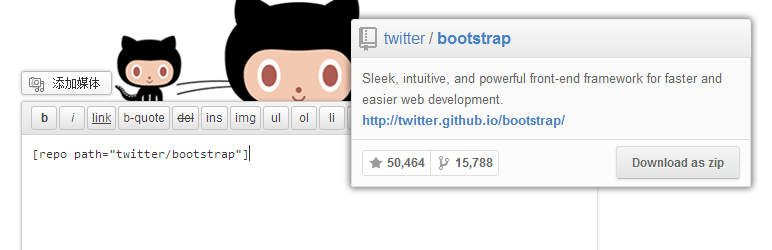
The actual appearance when embedded in a WordPress page is a GitHub code widget — see the screenshot at the top of this article. It’s achieved with a single shortcode:
[repo path="GitHub-username/project-name"]WP Reposidget plugin download: http://wordpress.org/plugins/wp-reposidget/